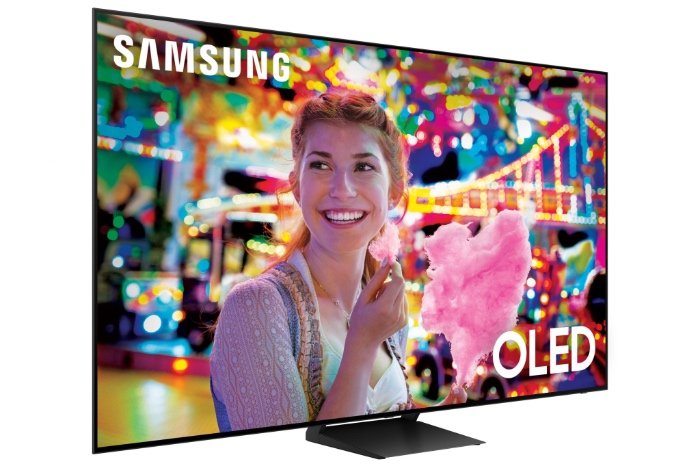
OLED televisions and monitors often steal the spotlight with their dazzling displays, promising the deepest blacks, infinite contrast, and colors that practically pop off the screen. It's easy to get swept up in the visual poetry they create. But as a seasoned tech journalist, I'm here to tell you that no technology is perfect, and OLED is no exception. Before you invest in one of these premium devices, it’s crucial to understand the common drawbacks and concerns of OLED technology. This isn't about raining on anyone's parade, but rather about arming you with the full picture, ensuring your purchase aligns perfectly with your expectations and usage habits.
At a Glance: What You Need to Know
- Burn-in Risk: Static images can leave permanent marks, especially with prolonged, consistent use.
- Lower Brightness: OLEDs generally can't get as bright as competing LED or Mini-LED displays, impacting HDR and visibility in sunny rooms.
- Higher Price Tag: Expect to pay more upfront for OLED's cutting-edge display quality.
- Shorter Lifespan: Organic materials degrade over time, potentially leading to color shifts and a shorter overall operational life compared to inorganic LCDs.
- Text Clarity Quirks: Certain subpixel layouts can make text appear less sharp, particularly on monitors.
- Maintenance Matters: OLEDs often require user vigilance and specific care routines to maintain their pristine picture.
- Physical Fragility: Ultra-thin designs make them more susceptible to physical damage and humidity.
The Burn-In Shadow: When Pixels Stick Around
Let’s tackle the elephant in the room first: burn-in. This isn't just an old wives' tale from plasma TV days; it's a very real concern for OLEDs, though modern panels have made significant strides in mitigation.
Burn-in is, quite simply, permanent image retention. It happens when static elements — think channel logos, news tickers, computer taskbars, or the HUD (heads-up display) from your favorite video game — remain on an OLED screen for extended periods. Because the individual organic light-emitting diodes (OLEDs) that make up each pixel degrade unevenly, constant use of certain pixels over others can cause them to dim permanently. The result? A faint, ghostly outline of that static image remains visible even when the content changes.
Imagine playing a game with a health bar always in the same spot for hundreds of hours, or using your OLED TV as a dedicated PC monitor with a static desktop. These are the kinds of scenarios that put an OLED at higher risk. While manufacturers like LG and Samsung have implemented features like pixel shifting (the screen subtly moves the image a few pixels every so often) and logo dimming (the display intelligently detects and dims static logos), the risk isn't entirely eliminated. Some manufacturers, recognizing this concern, now offer a 3-year warranty that covers burn-in, which is a reassuring sign of progress and confidence.
However, if your usage involves constant static elements for years on end, particularly in a professional setting like a security monitor or a dedicated trading display, the risk of image retention and eventually burn-in remains a factor worth considering.
Battling the Brightness: Why OLED Might Dim Your Day
While OLED’s perfect blacks are unrivaled, its peak brightness levels often fall short when compared to traditional LED or, more recently, Mini-LED displays. This isn't a minor detail; it fundamentally impacts how you experience content, especially in well-lit environments.
If you’re watching a movie or playing a game in a brightly lit room or one with direct sunlight, an OLED screen might struggle to cut through the ambient light. The vibrant, punchy colors you expect can appear subdued, and details in bright scenes might get lost. This is where LCD and Mini-LED displays, with their ability to pump out thousands of nits of brightness, often shine (pun intended).
Furthermore, OLED panels employ an Automatic Brightness Limiter (ABL). This protective mechanism dims large bright images across the screen to prevent damage to the organic materials. While crucial for the display's longevity, ABL can sometimes reduce the brilliant impact of high dynamic range (HDR) content, where certain bright highlights are supposed to truly pop. You might find a glorious explosion or a sunlit landscape isn't quite as dazzling as it could be on a brighter, non-OLED display.
Beyond initial brightness, OLED panels also face a challenge with long-term brightness degradation. The blue light-emitting pixels, historically, degrade faster than their red and green counterparts. This uneven aging can subtly shift the display’s color accuracy and overall brightness over time, leading to a perceptibly dimmer and less color-accurate picture after several years of use.
The Premium Price Tag: Is OLED Worth the Investment?
There's no sugarcoating it: OLED technology comes with a premium price tag. While prices have steadily come down over the years, an OLED television or monitor typically costs significantly more than a comparable LED or Mini-LED model.
This higher cost isn't arbitrary. It stems from a combination of complex manufacturing processes and the expense of the specialized organic materials used to create these self-emissive pixels. Producing OLED panels requires extremely precise, high-tolerance fabrication, and the organic compounds themselves are more costly to source and integrate than the inorganic backlights and liquid crystals found in traditional LCDs.
For some, the unparalleled picture quality of OLED – the perfect blacks, infinite contrast, and incredible viewing angles – easily justifies the extra expense. For others, particularly those on a tighter budget or who prioritize other features like extreme brightness or maximum durability, the cost can be a significant barrier. When considering an OLED, you're not just buying a screen; you're investing in a sophisticated display technology that, for all its visual prowess, demands a higher initial financial commitment. Before you buy, it’s worth asking yourself: Find out if OLED is worth it for your specific needs and budget.
Shorter Lifespan and Durability: The Delicate Nature of Organic Displays
One of OLED's fundamental characteristics is its reliance on organic materials. While these allow for incredibly thin, flexible, and self-emissive displays, they are also inherently susceptible to degradation over time. Unlike inorganic LCDs, which use a stable backlight, OLED pixels "burn" themselves out. This leads to a generally shorter lifespan compared to their inorganic counterparts.
As mentioned regarding brightness, the historic Achilles' heel of OLED has been the faster degradation rate of blue light-emitting pixels. This uneven aging can lead to subtle but noticeable color shifts over the years, as the blue component of the image weakens, potentially causing the overall picture to lean towards warmer tones. While significant advancements in material science have improved blue OLED longevity, it remains a factor in the overall expected lifespan.
Beyond internal degradation, OLED displays are also physically more delicate. Their ultra-thin design, a hallmark of their aesthetic appeal, also makes them more vulnerable. They are more susceptible to physical impact damage – a stray elbow or falling object can be more catastrophic to an OLED panel than to a thicker, more robust LCD. Furthermore, OLEDs can be sensitive to moisture and humidity, which can affect the organic layers and lead to display issues over time. This means careful handling and placement in appropriate environments are even more critical for an OLED.
Text Clarity Quandaries: A Pixelated Problem for PC Users
If you're primarily considering an OLED for a PC monitor, especially for productivity tasks involving a lot of text, you need to pay close attention to potential text clarity issues. This isn't a universal problem for all OLEDs or all users, but it's a known drawback that stems from how OLED subpixels are arranged.
Traditional LCD panels typically use a simple RGB (Red, Green, Blue) stripe subpixel layout, which is what operating systems like Windows are optimized for when rendering text with subpixel antialiasing (like ClearType). OLED panels, however, often deviate from this. For instance, LG's WOLED (White OLED) panels use an RGWB (Red, Green, Blue, White) stripe, while Samsung's QD-OLED (Quantum Dot OLED) panels employ a unique triangular RGB subpixel layout.
Because these layouts aren't the standard RGB stripe, Windows' text rendering algorithms can struggle to perfectly align pixels, leading to less crisp text. On QD-OLED panels, this might manifest as subtle color fringing around text edges – you might see faint red, green, or blue halos. On WOLED monitors, users sometimes report faint shadows or haziness along text edges. This issue is typically more noticeable at 1440p resolutions, where pixels are larger, but becomes less of a concern at higher resolutions like 4K, where the pixel density helps mask the effect. For gamers or media consumers, these text clarity issues are generally negligible, but for someone staring at spreadsheets and documents all day, it can be a significant ergonomic concern.
The OLED Ownership Playbook: High-Touch Maintenance for Longevity
Owning an OLED isn't quite a "set it and forget it" experience if you want to maximize its lifespan and minimize the risk of burn-in. It requires a degree of user vigilance and adherence to specific maintenance routines. Think of it less like a robust workhorse and more like a high-performance sports car – it needs a bit more tender loving care.
Here’s what you might need to do to keep your OLED display in top shape, especially if you’re using it as a PC monitor:
- Hide the Taskbar: Configure your operating system to automatically hide the taskbar to prevent its static presence from contributing to burn-in.
- Dynamic Wallpapers: Use black or rotating wallpapers instead of static, brightly colored images.
- Pixel Refresh (Pixel Cleaning): This is a built-in feature that OLEDs run to maintain pixel uniformity.
- Frequent Short Runs: Your display might run a short cycle (5-10 minutes) automatically after a certain number of hours of use (e.g., 4 hours). Allow it to complete these.
- Manual Activation: For daily extended use, you might need to manually trigger this several times a week.
- Panel Maintenance (Compensation Cycle): This is a longer, more intensive process (around 1 hour) that typically runs annually. It compensates for pixel degradation across the entire panel. Caution: Running this too frequently can actually lower overall brightness, so stick to the manufacturer’s recommendations, usually once a year.
- Short Inactivity Timer: Set your display to turn off after short periods of inactivity (e.g., 5 minutes) to avoid static images remaining on screen.
- Avoid Static Windows: Try not to keep static elements like browser tabs, application windows, or video game HUDs open and unchanged for excessively long periods. Minimize windows when not actively using them.
This level of active maintenance might feel like a chore for some users, but it's often a necessary trade-off for the superior picture quality OLED provides.
OLED vs. The Rest: A Quick Reality Check
To truly understand OLED's drawbacks, it helps to put them in context against other display technologies like traditional LCDs and Mini-LEDs.
| Feature | OLED (e.g., WOLED, QD-OLED) | LCD (e.g., IPS, VA) | Mini-LED |
|---|---|---|---|
| Black Levels | Perfect (true black) | Good to Poor (backlight bleed) | Excellent (many local dimming zones) |
| Contrast | Infinite (pixel-level control) | Moderate | Very High |
| Color Accuracy | Excellent | Good to Very Good | Excellent |
| Viewing Angles | Excellent (colors and brightness consistent off-axis) | Varies (IPS good, VA fair) | Very Good |
| Peak Brightness | Moderate (ABL can dim large bright areas) | Good to Excellent | Excellent (can achieve very high brightness) |
| Lifespan/Durability | Shorter (organic degradation, burn-in risk, fragile) | Longer (inorganic, more robust) | Long (inorganic, robust) |
| Cost | High | Low to Moderate | High (often comparable to or above OLED) |
| Text Clarity | Can have issues (subpixel layouts) | Generally excellent | Generally excellent |
| Motion Handling | Excellent (near-instant pixel response) | Good to Moderate | Good to Moderate |
| Power Consumption | Varies (lower for dark scenes, higher for bright scenes) | Consistent | Varies (higher for bright scenes) |
| Where OLED Shines: OLEDs are truly in a class of their own for contrast (perfect blacks), pixel-level control, and color accuracy, making them a phenomenal visual upgrade for media consumption, gaming, and professional color-grading. Their viewing angles are also superior, with colors and brightness remaining consistent no matter where you sit. | |||
| Where OLED Falters: They consistently lag behind LCDs and especially Mini-LEDs in raw peak brightness and overall lifespan. The burn-in risk, while mitigated, is still a distinct concern that LCDs simply don't have. Mini-LEDs, a newer iteration of LCD technology, offer a compelling alternative, providing much higher brightness and excellent durability without the burn-in risk, though they still can't quite match OLED’s pixel-level control for absolute black perfection. |
Pushing the Boundaries: How Manufacturers Are Fighting Back
It's important to remember that display technology is constantly evolving. Manufacturers are acutely aware of OLED's drawbacks and are pouring resources into innovation to overcome them. We're seeing continuous advancements in several key areas:
- New Organic Compounds: Researchers are developing more stable and efficient organic materials. This includes significantly more durable blue OLED compounds, which directly addresses the historical issue of uneven pixel degradation and helps extend overall lifespan and maintain color accuracy.
- Manufacturing Techniques: Refinements in the production process are leading to panels that are not only more efficient but also more robust.
- Flexible and Multilayer Designs: Engineers are exploring new panel architectures, such as flexible, multilayer OLED designs. These can enhance the physical robustness of the displays, making them less fragile and potentially more resistant to impact or environmental factors like moisture.
- Advanced Features: Companies are continuously integrating intelligent pixel protection algorithms and robust quality control. For example, some manufacturers are now using advanced features and rigorous quality controls to mitigate these weaknesses, incorporating innovations for improved durability and brightness management. These ongoing efforts mean that the OLEDs of today are significantly better than those of even a few years ago, and future generations promise even greater resilience and performance.
Making Your Decision: Are OLED's Drawbacks Dealbreakers For You?
So, after laying out the unvarnished truth about OLED's drawbacks, the big question remains: are these concerns dealbreakers for your specific needs? The answer, as with most things in technology, depends entirely on your priorities and how you plan to use the display.
If you’re a videophile who craves unparalleled contrast, vibrant colors, and cinematic blacks in a moderately lit room, and you’re prepared to put in a little effort for maintenance, then OLED’s benefits likely outweigh its compromises. For console gamers who appreciate quick response times and stunning visuals, the trade-offs are often worthwhile.
However, if you:
- Primarily use your display as a PC monitor for extended work sessions with static elements like taskbars and application windows.
- Operate in extremely bright rooms where every nit of brightness counts.
- Are on a tight budget and want the most display for your dollar without breaking the bank.
- Prioritize absolute longevity and zero maintenance above all else.
- Find potential text clarity issues unacceptable for your daily productivity tasks.
...then an OLED might introduce more headaches than it solves. In these scenarios, a high-quality Mini-LED or even a premium LCD panel could offer a more practical and satisfying experience, providing excellent picture quality without the same set of specific concerns.
Ultimately, understanding the common drawbacks and concerns of OLED technology isn't about discouraging you from buying one. It's about empowering you to make an informed decision. Weigh the pros and cons against your lifestyle, your viewing environment, and your budget. Only then can you truly determine if the captivating allure of OLED is the right choice for you, or if another display technology might be a better fit.