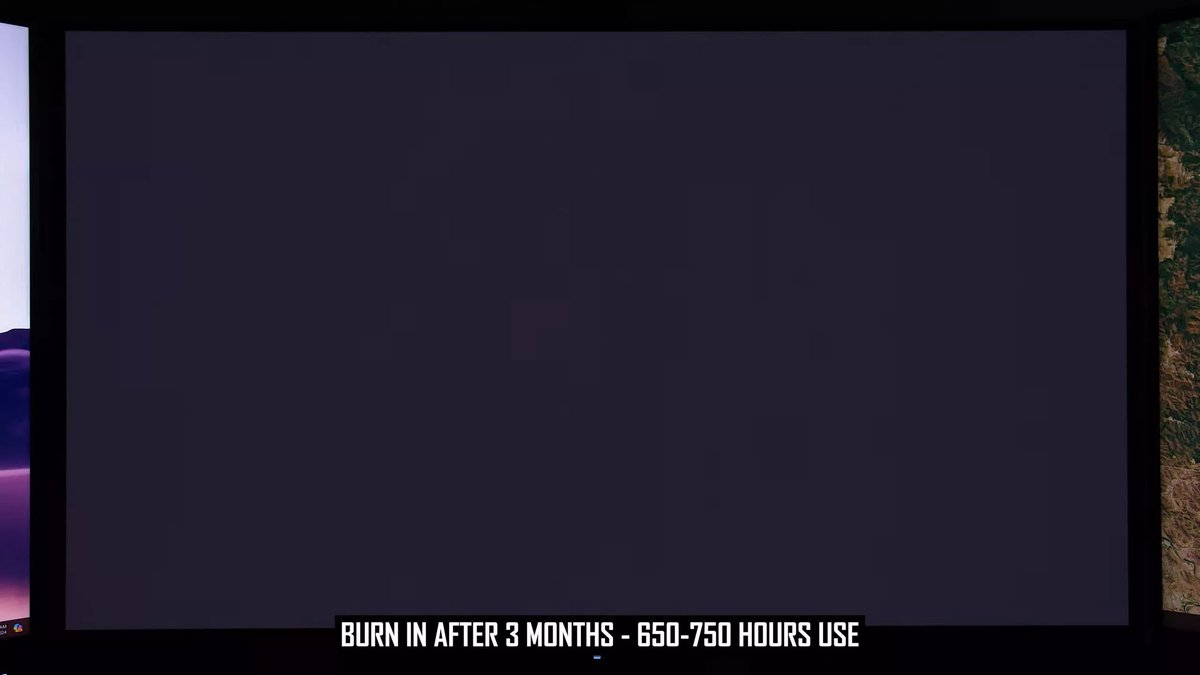
OLED screens offer an unparalleled visual experience, but for years, whispers of "burn-in" have cast a shadow over their otherwise stellar reputation. If you're wondering about OLED Lifespan, Durability, and Burn-in Mitigation in 2025, you're not alone. The good news? The concerns you've heard are largely outdated. While no technology is immortal, today's OLED displays are remarkably resilient, backed by advanced engineering and smarter user practices.
The truth is, manufacturers have invested heavily in solving the very issues that once gave potential buyers pause. From sophisticated material science to AI-powered protection, the landscape of OLED durability has transformed, making these displays a viable, long-lasting choice for almost any user.
At a Glance: Your OLED Lifespan Snapshot
- Burn-in is rare, but real: It’s permanent damage, distinct from temporary image retention.
- Heat is the enemy: Excessive heat and static, bright images accelerate degradation.
- Modern OLEDs are tough: Technologies like Deuterium, heatsinks, and AI dimming dramatically boost longevity.
- WOLED vs. QD-OLED: Both are highly durable; QD-OLED excels in color, WOLED might have a slight edge in pure white longevity.
- Your usage matters most: Productivity work with static elements poses the highest risk, while movies/TV are safest.
- Easy prevention: Dark mode, auto-hide taskbars, varied wallpapers, and manufacturer-provided pixel refreshers are your best friends.
- The future is brighter: Tandem OLED and Blue PHOLED promise even longer lifespans.
Setting the Record Straight: Burn-in, Retention, and Mura
Before we dive into solutions, let's clear up some common misconceptions. Not every visual anomaly on an OLED is "burn-in."
- Image Retention (Ghosting): This is a temporary phenomenon. Imagine pixels holding onto a faint ghost of a previous image – maybe a channel logo or a desktop icon. It’s caused by a temporary electrical charge and isn't permanent damage. Usually, it disappears on its own with normal usage, or after your display enters standby mode for a bit. Think of it like a momentary memory lapse, easily forgotten.
- Burn-in (Permanent Image Retention): This is the real deal, and it's what you want to avoid. Burn-in occurs when specific organic subpixels degrade unevenly due to prolonged, static use. If one area of your screen consistently displays a bright, unchanging image (like a news ticker or a game's health bar) for hundreds or thousands of hours, those pixels wear out faster. This leads to a permanent "shadow" or discolored mark that no software can fix because it's physical, chemical damage.
- Mura Effect: This is entirely different. Mura refers to uniformity issues – clouding, banding, or blotchiness – that are present from the moment you unbox your display, often visible in near-black scenes. It's a manufacturing defect, not something that develops over time due to usage, and it's typically covered by warranty.
The Science Behind the Shine: Why OLEDs Degrade
Understanding the root causes helps you appreciate the solutions. OLEDs, at their heart, are organic materials that emit light when an electrical current passes through them. Over time, these organic compounds naturally break down, and certain conditions accelerate this process.
- Thermal Accumulation (Heat): This is the chief culprit. OLEDs generate heat, especially when pixels are driven hard for bright highlights in HDR content (think dazzling explosions reaching over 1000 nits). High temperatures accelerate the chemical reactions that degrade the organic emissive layers, shortening their lifespan. If a display lacks adequate thermal management, this problem is compounded.
- Static High-Luminance Content: Leaving a static, bright image on screen for extended periods is a direct path to differential aging. Imagine a tiny light bulb that's always on at full blast while its neighbors are off or dim. It's going to wear out faster.
- "Blue" Subpixel Inefficiency: Historically, blue organic materials were the least efficient and stable of the red, green, and blue subpixels. They required higher voltages to achieve the same brightness as their counterparts and degraded more quickly. This inefficiency made blue subpixels the "weak link" in the longevity chain, often leading to a yellowing effect as blue faded first.
2025 and Beyond: The Engineering War Against Burn-in
Fast forward to 2025, and OLED manufacturers have deployed an impressive arsenal of technologies to combat these degradation factors. Think of it as a multi-layered defense system, both at the hardware and software level, specifically designed to extend OLED lifespan and durability.
- Deuterium-Based Stabilization: This is a material science breakthrough. Deuterium, a heavier isotope of hydrogen, replaces standard hydrogen atoms in the blue organic compounds. The stronger chemical bonds created are significantly more resistant to degradation, directly addressing the historical weakness of blue subpixels.
- Dedicated Heatsinks: Essential for high-brightness displays, these are physical metal plates (often aluminum or copper) or advanced graphene layers integrated into the display's structure. They passively and efficiently wick heat away from the sensitive organic layers, preventing thermal accumulation, especially during demanding HDR peaks.
- Micro Lens Array (MLA): This innovative hardware feature involves billions of microscopic lenses precisely engineered into the display panel. Their purpose? To redirect internally trapped light more efficiently towards the viewer. This boosts light output by up to 20% without needing to overdrive the pixels, meaning you get brighter images with less stress and heat, significantly improving longevity.
- AI-Driven Logo and HUD Detection: Modern OLED TVs and monitors incorporate real-time processors powered by artificial intelligence. These systems can intelligently identify static elements like news channel logos, game HUDs (Heads-Up Displays), or even desktop taskbars. Once detected, they subtly and selectively dim only those specific pixel clusters, often imperceptibly, to prevent differential aging.
- Pixel Orbiting / Shift: This is a classic, yet highly effective, software-based mitigation. Your screen periodically shifts the entire image by a few pixels (often one or two pixels in each direction) in a slow, imperceptible cycle. This prevents any single pixel cluster from constantly displaying a hard, static edge, distributing wear across a larger area.
- Expanded Warranties: A testament to these advancements, major brands like Dell (Alienware), Corsair, MSI, and ASUS now offer comprehensive 3-year warranties that explicitly cover OLED burn-in on their high-end monitors. This manufacturer confidence speaks volumes about the technology's current robustness.
WOLED vs. QD-OLED: Which Reigns Supreme for Longevity?
When considering an OLED purchase, you'll primarily encounter two main types: WOLED (White OLED) and QD-OLED (Quantum Dot OLED). Both are premium technologies, but they approach light generation differently, which can subtly impact their theoretical longevity.
- WOLED (White OLED): Developed by LG Display, WOLED panels use a WRGB (White, Red, Green, Blue) subpixel architecture. This means they have a dedicated white subpixel alongside the primary colors. This white subpixel helps to boost overall brightness and reduces the stress on the colored organic materials, making them historically perceived as slightly safer for content with large, bright white areas.
- QD-OLED (Quantum Dot OLED): Pioneered by Samsung Display, QD-OLED uses a pure blue OLED light source that excites a layer of Quantum Dots to produce red and green light. This architecture results in incredibly pure colors, higher color volume (meaning colors remain vibrant even at peak brightness), and often superior color saturation. Early Gen 1 QD-OLEDs in intense "torture tests" sometimes showed faster burn-in, but Gen 3 panels have incorporated advanced AI thermal mapping, improved blue organic materials, and sophisticated pixel driving algorithms to significantly close this gap.
The Verdict: For the vast majority of mixed usage scenarios, the practical lifespan gap between WOLED and QD-OLED is now negligible. Both are designed to easily last 5+ years under normal usage conditions for 99% of consumers. WOLED might retain a slight theoretical advantage for extreme, sustained high-brightness white content due to its dedicated white subpixel, while QD-OLED offers an edge in color vibrancy. Ultimately, your choice should probably come down to other factors like color preference, specific panel brightness, and features, rather than an overriding concern about burn-in longevity.
Your Usage, Your Risk: A Burn-in Guide
While modern OLEDs are robust, your specific usage patterns play a significant role in OLED durability and the potential for burn-in.
- Hardcore Gamer (Medium Risk): If you spend hours immersed in the latest titles, you might have static HUDs (Heads-Up Displays), minimaps, or health bars. This can be a concern. However, many modern games offer dynamic HUDs, transparency options, or even allow you to disable elements. With features like "Logo Luminance Adjustment" enabled on your display, the risk is manageable. The biggest risk here is playing a single game with a constantly static, bright HUD for thousands of hours without variation.
- Media Enthusiast (Low Risk): This is where OLEDs truly shine without worry. If your primary use is watching movies, TV shows, and streaming services, your content is constantly moving and changing. This dynamic nature means pixels are rarely static enough to cause differential aging. Black bars from letterboxed content are a minor potential issue over extremely long periods, but regular pixel cleaning cycles easily mitigate this.
- Productivity/Office Worker (High Risk): This is the scenario where OLEDs face their toughest test. Desktop operating systems (Windows, macOS) are rife with static elements: taskbars, menu bars, browser tabs, window borders, unchanging software interfaces (like spreadsheets or word processors). Using an OLED monitor for 8+ hours daily, often with bright, static white backgrounds (e.g., Microsoft Word or Excel), is currently the fastest way to induce burn-in. If this is your primary use case, you'll need to be extra diligent with mitigation strategies.
Mastering Your OLED: Essential Tips for Longevity
Whether you're a gamer, a movie buff, or even a productivity user, these practical steps will significantly extend your OLED lifespan and virtually eliminate burn-in concerns.
- Never Unplug Immediately After Turning Off: Your OLED display typically runs "compensation cycles" (also known as pixel refresh or pixel cleaning) in standby mode, usually after about 4 hours of cumulative use. These brief, silent cycles balance pixel voltage and are crucial for preventing image retention and burn-in. If you cut power immediately, these cycles can't run.
- Embrace Dark Mode: Dark mode isn't just easier on the eyes; it's a boon for OLED longevity. Since OLED pixels turn off completely to display black, using dark themes for your operating system, browser, and applications reduces the overall load on your pixels and power supply, contributing to less wear.
- Auto-Hide Taskbars/Docks: On your desktop, enable the auto-hide feature for your taskbar (Windows) or dock (macOS). This removes a persistent, static element from the bottom (or side) of your screen, preventing it from leaving an impression.
- Wallpaper Rotation: Ditch that single, static, bright desktop background. Instead, use dynamic wallpapers, a slideshow of rotating images, or a solid, dark-colored background. This ensures no single set of pixels is constantly illuminated by the same image.
- Reduce SDR Brightness: For most day-to-day use, especially with Standard Dynamic Range (SDR) content, you don't need maximum brightness. Calibrate your SDR brightness to a comfortable level (e.g., 120-150 nits), reserving the display's peak luminance for captivating HDR movies and games. This reduces the stress and heat on your pixels.
- Desktop Icon Management: Minimize the number of icons cluttering your desktop. If you must have them, consider hiding them regularly or occasionally shuffling their positions. Small, static icons, especially if they're bright, can contribute to differential aging over years.
- Enable Manufacturer Protections: Dive into your TV or monitor's On-Screen Display (OSD) menu and ensure all manufacturer-provided burn-in prevention features are active. These often include "Screen Move" (pixel shift), "Logo Dimming" or "Logo Luminance Adjustment," and "TPC" (Temporary Peak Luminance Control) or similar technologies that intelligently dim static elements or reduce overall brightness to prevent heat buildup.
- Understand Pixel Refresher Cycles:
- Short Cycle: This runs automatically in standby after approximately 4 hours of cumulative usage. It's quick, silent, and essential for regular maintenance.
- Long Cycle (Deep Cleaning): This more intensive cycle can take up to an hour and "levels down" pixel voltage. It should only be run when prompted by your TV/monitor (typically every 500-2000 hours) or if you notice persistent image retention that doesn't resolve with normal use. Running it too frequently unnecessarily shortens the overall theoretical lifespan of your display, so let your device tell you when it's needed.
For those still on the fence about the upfront investment, understanding these protections and practices can help in Deciding if OLED is worth it for your specific needs.
The Horizon of Durability: What's Next for OLEDs?
The fight against degradation is far from over. Engineers are continuously innovating, promising even greater OLED lifespan and durability in the coming years.
- Tandem OLED Structures: This revolutionary architecture involves stacking two organic emissive layers on top of each other. The benefit? You can achieve the same brightness with half the electrical current compared to a single-stack design. Less current means less stress, less heat, and theoretically, a doubling or even quadrupling of lifespan. Tandem OLED is already making its way into automotive displays (where extreme durability is paramount) and the latest iPad Pro, hinting at its eventual arrival in larger consumer displays.
- Blue PHOLED (Phosphorescent OLED): Currently, only red and green OLED subpixels are 100% efficient (phosphorescent). Blue subpixels are still only about 25% efficient (fluorescent), meaning they waste a lot of energy as heat. Universal Display Corporation (UDC) is on the cusp of commercializing a highly efficient, stable blue PHOLED material. Once widely adopted, this technology will make blue subpixels as efficient as their red and green counterparts, drastically reducing heat generation and eliminating the historical "weak link" in OLED longevity, a major step forward for burn-in mitigation.
Behind the Curtain: How Manufacturers Test OLED Longevity
With OLED's market value soaring (reaching $48.5 billion in 2022 and projected to exceed $72.8 billion by 2026), solving burn-in isn't just about customer satisfaction – it's a massive business opportunity. An estimated 67% of potential high-end display purchasers cite longevity concerns. Addressing these could increase OLED TV market share by 15% (an additional $15 billion) and triple professional monitor market share within five years. Major display manufacturers are pouring an average of 18% of their R&D budgets into burn-in mitigation.
To ensure their products meet rigorous durability standards, manufacturers don't wait years for burn-in to naturally occur. They employ sophisticated accelerated testing methodologies.
Objectives and Challenges of Accelerated Testing
- Objective: To predict long-term display performance within a compressed timeframe (weeks or months instead of years) by subjecting displays to intensified conditions.
- Challenges:
- Time-Dependent Nature: Burn-in develops slowly, making real-world observation impractical for rapid product development cycles.
- Inaccurate Real-World Simulation: Overly aggressive static tests might overestimate burn-in severity, while overly dynamic tests might underestimate long-term effects. Striking the right balance is crucial.
- Multi-Factorial Degradation: Burn-in is influenced by a complex interplay of brightness, content type, operating temperature, material compositions, and driving schemes, making comprehensive modeling exceedingly difficult.
- Accelerated Testing Complications: A major hurdle is validating whether accelerated aging truly mirrors the natural degradation pathways and mechanisms seen in everyday use.
- Measurement Limitations: Visual assessment is subjective. Objective instrumental measurements (like colorimeters) may not always align with human perception of burn-in. A universally accepted, standardized metric for burn-in severity is still evolving.
- Diversity of Materials/Structures: Different OLED technologies (WOLED, QD-OLED, etc.) and specific panel designs require tailored testing approaches.
- Lab-Field Performance Gap: Despite rigorous lab qualification, real-world environmental and usage factors (like ambient temperature fluctuations, humidity, dust, or power fluctuations) can sometimes lead to unexpected failures in the field.
Accelerated Testing Methodologies and Company Examples
Manufacturers utilize a blend of material science, software intelligence, and environmental control:
- Key Approaches:
- Material Compositions: Continual improvement of organic materials, electrodes, and encapsulation layers.
- Software-Based Compensation: Pixel usage monitoring, intelligent shifting algorithms, and machine learning models to predict and counteract degradation.
- Effective Thermal Management: Designing efficient heat dissipation structures and cooling solutions.
- Specialized Display Driving Techniques: Implementing variable refresh rates and dynamic voltage adjustments.
- Advanced Testing/Prediction Methods: Accelerated aging, real-time monitoring of sub-pixel health, and predictive algorithms.
- BOE Technology: Employs a multi-stage approach, including high-temperature operational testing (40-65°C), elevated brightness levels (well above typical usage), and specialized static image patterns. They use automated optical measurement systems and sophisticated regression models to extrapolate long-term results, claiming an impressive 15% accuracy in predicting lifespan.
- Samsung Display: Known for its High-Temperature Operational Life (HTOL) testing, which involves increased brightness and proprietary Artificial Aging Chamber technology. This allows them to simulate approximately 5 years of typical user activity in as little as 500 hours. They also integrate machine learning algorithms for performance prediction and early detection of sub-pixel degradation.
The Unseen Battlefield: Environmental Factors
Beyond what's happening inside the display, the world around your OLED also plays a role in its longevity. Environmental conditions can subtly influence OLED lifespan and durability.
- Temperature: We've highlighted heat generated by the display, but ambient temperature matters too. Elevated room temperatures (e.g., in a poorly ventilated entertainment center or a hot office) accelerate chemical reactions within the organic layers. Degradation rates can approximately double for every 10°C increase above optimal room temperature.
- Humidity: Water penetration is a silent killer for electronics. High humidity levels (especially above 60% relative humidity) can allow moisture to seep into the panel, reacting with organic materials or electrodes. This can lead to the formation of dark spots, delamination of layers, and a general acceleration of degradation.
- Light Exposure: While not a primary concern for burn-in per se, prolonged exposure to high-intensity ambient light, particularly the UV spectrum, can contribute to photochemical reactions within the organic materials. This can slowly break down molecular bonds and reduce luminous efficiency over many years.
- Oxygen Exposure: The organic compounds in OLEDs are highly reactive with oxygen. Even trace amounts, if encapsulation is compromised, can lead to oxidation, forming non-emissive species that reduce brightness and create dark spots. This is why robust encapsulation (often multi-layered glass or thin-film barriers) is critical.
- Electrical Stress: Inconsistent power delivery, voltage spikes, or prolonged high current densities can accelerate burn-in and create localized hot spots, especially if the display's power management system isn't robust.
- Mechanical Stress: While most OLEDs are robust for their intended use, excessive physical stress – such as bending, twisting, or applying undue pressure to the screen – can compromise the integrity of the encapsulation layers. This can create pathways for moisture and oxygen, leading to premature degradation.
- Synergistic Effects: It's rarely just one factor. Often, the interaction between several environmental stressors (e.g., high temperature combined with high humidity) can produce a much more aggressive degradation effect than individual stressors alone.
Setting the Bar: Standardization Efforts
To bring consistency and trust to the market, international organizations are actively working on developing standards for OLED burn-in evaluation and overall display longevity.
- IEC (International Electrotechnical Commission): The IEC 62341 series is a key framework, with IEC 62341-5 specifically focusing on environmental testing methods for OLED displays.
- VESA (Video Electronics Standards Association): VESA's DisplayHDR True Black certification, designed for high-contrast displays, includes specific reliability metrics and tests to ensure long-term performance under demanding conditions.
- SID (Society for Information Display): Various working groups within SID are dedicated to establishing standardized accelerated testing protocols and measurement methodologies for OLED longevity.
- Regional Adaptations: Organizations like the Korean Standards Association (KSA) and Japan's JEITA (Japan Electronics and Information Technology Industries Association) often adapt and contribute to these international frameworks, tailoring them for regional manufacturing practices and quality control.
Current standards typically specify controlled conditions for testing, such as elevated temperatures (ranging from 40-85°C), increased brightness (150-200% of typical usage), and specific static image patterns. The trend is moving towards more sophisticated testing that incorporates variable content, realistic duty cycle variations, and advanced statistical models to better predict real-world performance.
Making the Most of Your Investment
The narrative around OLED burn-in has largely shifted from a major drawback to a manageable concern. While it's always wise to be aware of the potential for differential aging, the technological leaps made by manufacturers, combined with sensible usage habits, mean today's OLED displays are more durable and long-lasting than ever before.
By understanding the difference between image retention and burn-in, adopting a few simple preventive measures, and appreciating the advanced engineering safeguarding your screen, you can confidently enjoy the stunning visuals of your OLED for years to come. Your investment in an OLED display is not just about cutting-edge picture quality; it's an investment in a robust, enduring piece of technology designed to deliver breathtaking entertainment and productivity for the long haul.